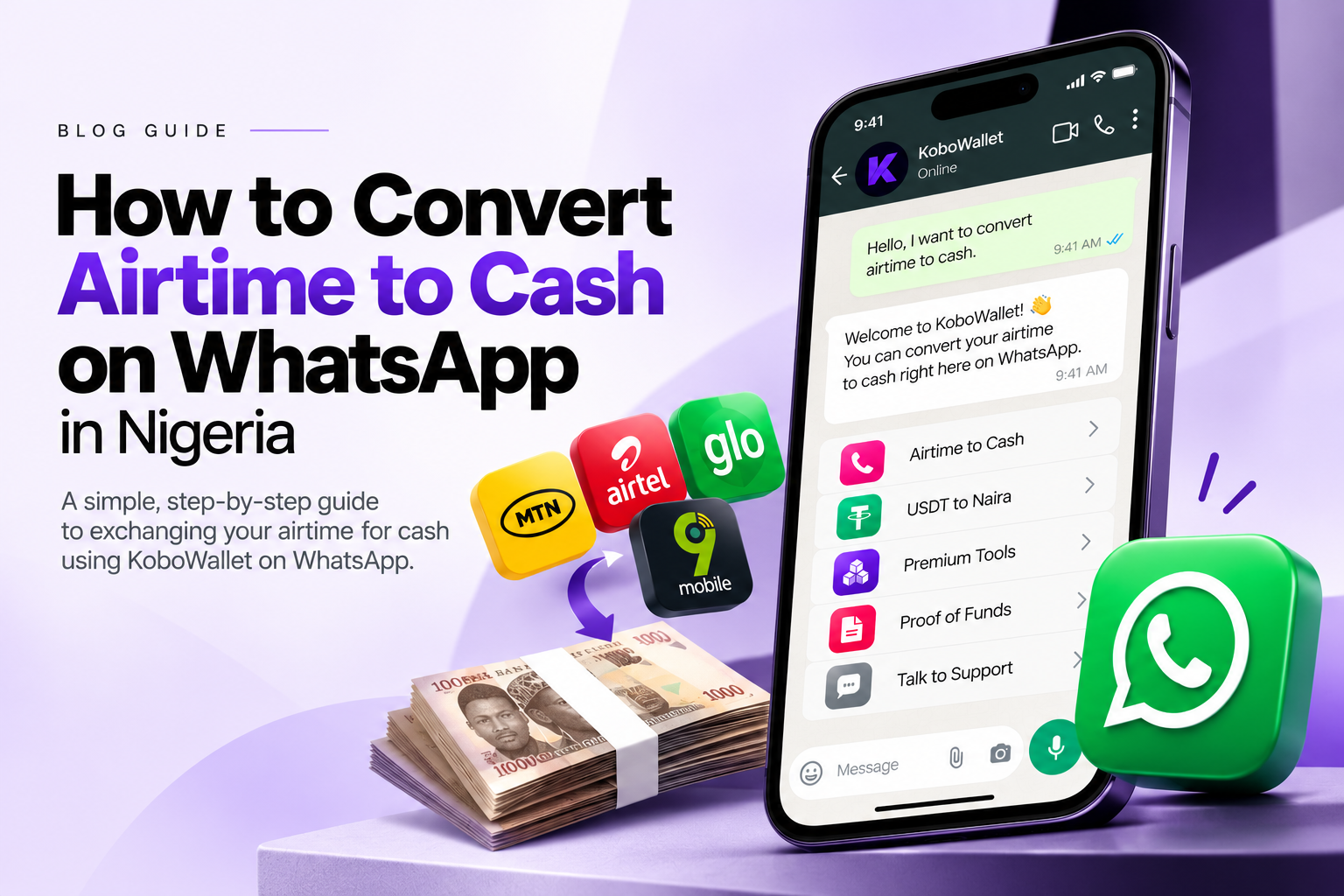
Have you ever loaded airtime and later wished you could turn it into money you can spend? Maybe someone sent airtime to the wrong number, you loaded more than you needed, or you have airtime sitting on your SIM that you would rather use for something else.
You can automatically convert airtime to cash directly on WhatsApp with KoboWallet. Open the official chat at https://wa.me/2349116829636 or message 0911 682 9636, then follow the automated bot prompts. You do not have to move to the website to complete the WhatsApp exchange.
This guide explains how to start the automated WhatsApp flow, review your quote, complete the transfer as instructed, and avoid common mistakes. The exact minimum, network availability, rate and processing status come from the current WhatsApp flow and can change.
What does “airtime to cash” mean?
Airtime is the credit you use to make calls, send texts, or buy data. Airtime to cash means exchanging eligible airtime for money.
For example, imagine you have ₦1,000 of airtime you do not need. If the rate were 80% for illustration, ₦1,000 of airtime would produce ₦800 before any separately disclosed fees. That is only an example, not a promise or KoboWallet's current rate.
The exact amount you receive depends on the current quote for your network and transaction. Always review the rate and final payout before authorizing a transfer.
Can you convert airtime to cash on WhatsApp in Nigeria?
Yes. KoboWallet supports automatic airtime exchange inside WhatsApp, not just guidance. The bot guides you through the available choices, account verification, network and amount selection, transaction review and transfer authorization. Simply sending a greeting does not complete an exchange: follow the prompts until the bot reports the result.
- Start automatic exchange: Open KoboWallet on WhatsApp
- Official WhatsApp number: 0911 682 9636
How to convert airtime to cash on WhatsApp with KoboWallet
Step 1: Open the official WhatsApp chat
Open https://wa.me/2349116829636 or message 0911 682 9636. Send a greeting to start, then choose Convert Airtime to Cash from the bot's menu. Check that you are using the official number before providing transaction information.
Step 2: Follow the account onboarding or verification prompts
Airtime transactions require an active, email-verified KoboWallet account securely linked to your WhatsApp number. If you are new or your number is not linked, follow the bot's account creation or linking instructions first. Complete the required account and email confirmation before accessing account-specific exchange actions.
Step 3: Choose an available network and amount
Select your network from the options currently offered by the bot, then choose the amount using its prompts. MTN, Airtel, Glo and 9mobile are KoboWallet airtime network options, but availability and automatic exchange support may vary or be temporarily paused. Use only the options enabled in the live WhatsApp flow.
Check the applicable minimum and maximum for that network and exchange method. There is no single minimum promised by this guide; a flat ₦500 minimum should not be assumed for automatic WhatsApp exchange.
Step 4: Confirm the number that holds the airtime and review the quote
The airtime can be on a different phone from your linked WhatsApp number. If needed, choose Use another number and enter the Nigerian phone number that actually holds the airtime when the bot asks. This identifies the source line; it does not change the account linked to your WhatsApp number.
Review the network, airtime amount, sender number, current quoted rate, expected Naira payout and any displayed transaction or transfer details. Do not use rates from old screenshots or unrelated posts. If the details are wrong or the quote changes, review the updated details before continuing.
Step 5: Choose Automatic exchange and follow the bot's authorization prompts
Choose Automatic exchange when offered. Follow the network-verification prompts in the official automated chat. The current automatic flow requests the SMS verification code sent by your network to the airtime source line, then prompts for that line's SIM transfer PIN to authorize the transfer. Enter these only when requested as part of the active official automated exchange, never in an unsolicited message or a separate agent's chat.
Complete the transfer only as instructed by the bot. Do not independently send airtime or make a second transfer while the automatic flow is processing. Use only the receiving number or instructions displayed for your current request; never send airtime to a random number, the WhatsApp contact number merely because it is the contact, or a receiving number copied from an old transaction.
If automatic exchange is unavailable and you choose the bot's Manual instructions fallback, follow the receiving number and instructions shown for that specific request. Confirm only after a successful airtime transfer. Manual requests require admin review before wallet credit; that is a separate path, not the rule for every automatic transaction.
Step 6: Check the result and wallet credit
For automatic exchange, your KoboWallet balance is credited after successful network confirmation. The bot reports the completed order and payout, or tells you when the transfer is still being confirmed. Keep the order reference and do not repeat a transfer because the result is pending.
Processing depends on the network and the transaction's actual status; no fixed completion time is guaranteed. Manual review and bank withdrawals are separate processes. After wallet credit, follow the available withdrawal instructions if you want to send funds to an eligible Nigerian bank account. The bank account name must match your KoboWallet account name.
How much cash will you receive for your airtime?
Your payout depends on the current quote for your network and exchange method. The table below is only a maths example to explain how percentages work. These are NOT actual KoboWallet rates, offers, supported amounts or minimums.
| Airtime value | If the illustrative rate is 70% | If the illustrative rate is 80% | If the illustrative rate is 90% |
|---|---|---|---|
| ₦500 | ₦350 | ₦400 | ₦450 |
| ₦1,000 | ₦700 | ₦800 | ₦900 |
| ₦2,000 | ₦1,400 | ₦1,600 | ₦1,800 |
| ₦5,000 | ₦3,500 | ₦4,000 | ₦4,500 |
These figures are illustrative, before any separately disclosed fees. The ₦500 row is not a statement of KoboWallet's minimum. Only the current rate, applicable limits and final payout displayed by the WhatsApp bot apply to your request.
Which networks can you exchange?
KoboWallet's airtime network options include:
- MTN
- Airtel
- Glo
- 9mobile
Only networks and exchange methods currently enabled in the bot can be selected. Availability may change temporarily, so check the live WhatsApp menu before starting.
Why do people convert airtime to cash?
People may want to exchange airtime when they:
- Have more airtime than they need.
- Have mistakenly recharged a larger amount than intended.
- Received airtime they would rather use as money.
- Want to move the value of eligible airtime into a wallet and then withdraw to a bank account.
Only exchange airtime you legally own. KoboWallet's published service information requires the airtime to be on a line you legally own. Using a different airtime source number does not remove that requirement. Do not try to convert someone else's airtime without permission or contrary to the service terms.
Important safety tips before exchanging airtime
- Use the official WhatsApp link. Start at https://wa.me/2349116829636 or message 0911 682 9636.
- Check the live quote first. Review the network, amount, rate, payout and sender number. Never assume an old rate still applies.
- Use only the current request's transfer instructions. Never send airtime to a random or old receiving number. Do not transfer to the WhatsApp contact number unless the live request explicitly instructs you to do so.
- Keep your evidence. Save your order reference, transfer confirmation, amount, network and time, but do not save or share screenshots containing secret codes or your PIN.
- Enter the correct airtime source phone number. It can differ from your WhatsApp number, but it must match the line used for the exchange.
- Protect your credentials. Never send your KoboWallet password or give codes and PINs to a person claiming to be an agent. For automatic exchange, enter the network SMS code and SIM transfer PIN only in response to the active official bot's specific verification and authorization prompts. WhatsApp messages are still messages: do not forward them or expose them to anyone else.
- Do not trust pressure tactics. If someone asks you to send airtime to a different number or promises an unrealistic rate, stop and use official support from the bot menu.
- Read the terms. You must be at least 18 and have legal ownership of the airtime, according to the published service information.
Common mistakes to avoid
- Sending airtime before following the bot's required steps.
- Using a receiving number from an old transaction.
- Selecting the wrong network or amount.
- Entering a sender number that does not match the airtime source line.
- Expecting the full airtime value as cash without checking the quote.
- Assuming a greeting or pending response means the exchange has completed.
- Repeating a transfer while network confirmation is pending.
- Trying to withdraw to a bank account with a different account name.
If you make a mistake, stop and contact official support through the bot menu with your request details and proof of transfer. Do not send a second transfer to “fix” the first unless official support has confirmed the correct next step.
WhatsApp or website: which should you use?
WhatsApp is the primary workflow in this guide: you can automatically exchange airtime directly in the official KoboWallet chat by following the bot. The website is an optional alternative or help reference, not a mandatory step in a WhatsApp exchange. If you prefer a browser or want additional service information and terms, see the optional KoboWallet airtime-to-cash page.
Start your automatic WhatsApp airtime exchange
Open KoboWallet on WhatsApp and convert airtime to cash, or message 0911 682 9636. Choose Convert Airtime to Cash, follow the automated prompts, review your current quote and complete the transfer only as instructed.
Important: Exact minimums, maximums, network availability, rates and processing conditions can change. The current WhatsApp flow and your transaction's displayed details take priority over this educational article. Automatic exchange requires successful network confirmation before wallet credit; manual fallback requires review. This article does not guarantee a rate, payout, processing time or bank withdrawal speed.